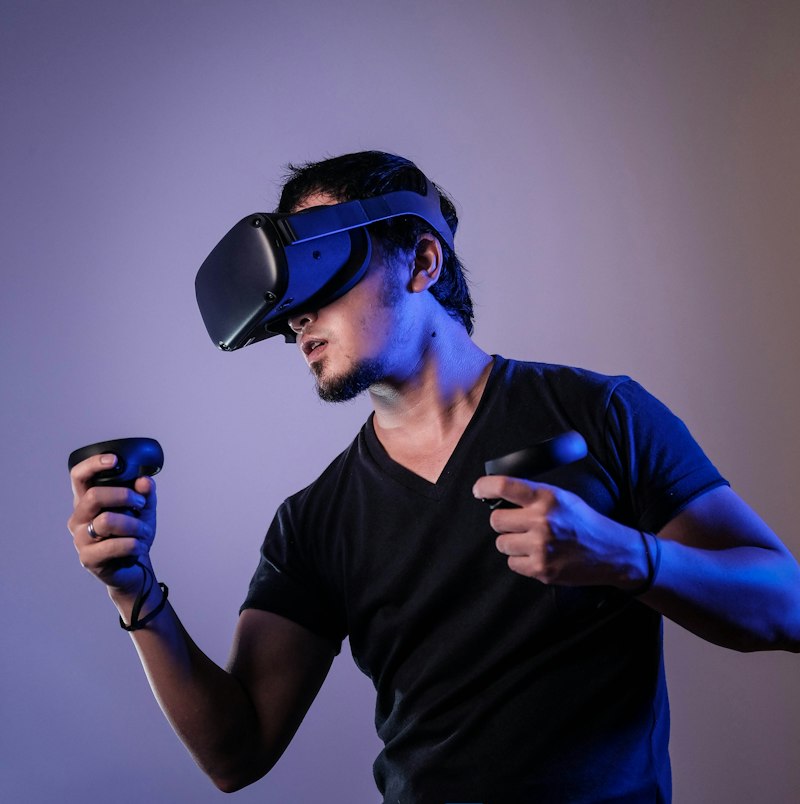
What do we mean by spatial computing ergonomics?
Spatial computing refers to interfaces that situate digital content in three-dimensional space relative to the user’s body, environment, or both—commonly delivered through virtual reality (VR) headsets, augmented reality (AR) glasses, or mixed-reality systems. Ergonomics (human factors) studies how such systems interact with human anatomy, strength endurance, sensory limits, and recovery.
Physical fatigue in this domain is not merely “feeling tired.” It encompasses neck and shoulder load from head-supported mass, ocular discomfort from vergence–accommodation conflict and brightness, forearm and hand fatigue from prolonged pointing and pinching in mid-air, and postural strain from standing workflows or constrained play spaces. Longitudinal studies track these outcomes across days and weeks because acute lab comfort can mislead: some discomfort accumulates slowly, while adaptation can mask early warning signs until injury risk rises.
Ergonomics also includes cognitive–motor coupling: when users must hold still to stabilize tracking, they recruit muscles isometrically in ways keyboard workflows rarely demand. The body becomes part of the input pipeline, which means biomechanics is no longer optional background—it is interface design.
Why longitudinal designs are necessary
Short usability tests—sixty to ninety minutes—excel at discovering interaction confusion and novice errors. They are weaker at revealing cumulative load. Occupational ergonomics teaches that risk often emerges from repetition × force × awkward posture × duration. Spatial interfaces encourage repeated head turns, sustained arm elevation, and fine motor holds without the passive support of desks and keyboards.
Longitudinal HCI research therefore combines:
- Repeated exposure sessions with standardized tasks and identical warm-up routines.
- Self-report scales for discomfort (body-region diagrams, Borg-like effort ratings, standardized pain scales where ethically appropriate).
- Objective measures where feasible: neck flexion angles via motion capture, electromyography samples in lab subsamples, blink rate and tear film stability proxies for eye strain (study-dependent and ethically reviewed).
- Usage diaries capturing breaks, device fit adjustments, medication that might blunt pain signals, sleep quality, and off-device symptoms such as headache persistence.
Ethics boards scrutinize studies that may provoke simulator sickness or musculoskeletal pain; responsible protocols include stop rules, medical exclusions, recovery days between heavy sessions, and debrief resources. Participants must understand that stopping is success, not failure.

Study summaries: themes from HCI and ergonomics literature
Although commercial longitudinal datasets are rarely public, academic and industry-affiliated research converges on several empirical themes:
Headset mass and counterbalancing: Front-heavy headsets increase cervical extensor muscle demand to stabilize the head. Even small shifts in center of mass influence perceived exertion over thirty minutes; over weeks, users report neck stiffness and alter posture compensations such as forward head posture when fatigued.
Interaction height and reach envelope: Mid-air interaction above shoulder height is especially costly. Studies of shoulder abduction show rapid fatigue when targets require sustained elevation. Interfaces that scatter controls at the top of the visual field may look futuristic yet behave anti-ergonomically for tasks repeated hundreds of times per shift.
Vergence and accommodation in stereoscopic displays: The human visual system normally converges and accommodates on the same depth plane. Many head-worn displays decouple these cues, which can produce visual discomfort, headache, and reduced fusion stability, particularly for sensitive individuals. Longitudinal exposure can trigger withdrawal—users shorten sessions or avoid certain depth ranges even when immersion goals push designers toward aggressive stereo.
Locomotion metaphors: Continuous artificial locomotion in VR can induce motion sickness via sensory conflict between visual flow and vestibular signals. Teleportation reduces sickness for many users but can disrupt spatial updating and task flow, producing cognitive costs that differ from muscular fatigue yet still accumulate longitudinally.
AR outdoor brightness and contrast: Optical see-through AR struggles with glare and dynamic range. Users narrow eyelids, lean forward, or adopt unstable postures—fatigue that diaries capture better than single-session lab metrics. Thermal load from sunlight plus device heat changes comfort trajectories across seasons.
Handheld controllers versus bare-hand tracking: Controllers add mass but provide haptic reference; bare-hand tracking reduces load yet can encourage prolonged pinch gestures with high intrinsic muscle demand. The “lighter” hardware path is not automatically the lower-fatigue path.
Key findings for designers and researchers
Finding 1 — Device fit is a biomechanical variable, not a footnote. Inter-pupillary distance adjustment, facial interface cushioning, strap geometry, and hair/eyewear compatibility change pressure points and neck torque. Longitudinal discomfort often traces to poor fit rather than software alone. Studies should record fit adjustments as covariates and encourage participants to re-fit mid-session without penalty.
Finding 2 — Micro-breaks dominate prevention. The strongest ergonomic interventions frequently resemble occupational health basics: timer-based breaks, gaze resets, shoulder relaxation prompts, and seated modes for tasks that do not require standing reach. Software affordances that encourage pacing outperform heroic reliance on user discipline.
Finding 3 — Task type determines whether “natural” gestures are natural. Large, expressive gestures impress demos yet tax shoulders when repeated hundreds of times. Precision pinch tasks tax intrinsic hand muscles. The appropriate control modality is workload-dependent; multimodal redundancy (voice where socially viable, seated controller rests, gaze with strict ethics review) should be validated, not assumed.
Finding 4 — Adaptation is heterogeneous. Some users show reduced sickness and discomfort over days; others worsen as chronic strain accumulates. Longitudinal cohorts should plan subgroup analysis rather than averaging everyone into a single comfort curve. Dropout is data: analyze attrition reasons with care for privacy.
Finding 5 — Environmental design matters: floor friction, guardian boundary size, ambient temperature, ceiling height for raised-arm tasks, and eyewear compatibility (prescription inserts versus glasses under headset) alter fatigue. Field studies in real homes and workplaces often reveal constraints absent in pristine labs.
Finding 6 — Symptom clusters differ: musculoskeletal versus vestibular versus ocular. A user may tolerate neck load yet fail on locomotion; another may accept locomotion yet struggle with stereo. Composite “comfort scores” can obscure the need for multi-outcome reporting.

Measurement playbook: from signals to decisions
Teams serious about spatial ergonomics should predefine primary outcomes. Examples:
- Region-specific discomfort change from baseline to week four, with clinically informed interpretation boundaries.
- Session completion rate without simulator sickness termination.
- Productivity proxy: errors, rework, or task time adjusted for accuracy.
Triangulate subjective scales with behavior: users who fatigued often shorten reaches, substitute head motion for torso rotation, or abandon precision tasks first—telltale compensations visible on video coding. Micro-pauses in movement may indicate anticipatory avoidance before subjective reports update.
Accessibility must be centered: vestibular disorders, chronic pain, migraine, and motor differences change risk profiles. Inclusive longitudinal sampling prevents the classic failure mode of optimizing for athletic young adults.
Implications for humane spatial UX
Humane spatial computing refuses the myth that the body is infinitely plastic. It places recovery on equal footing with immersion. It acknowledges that spectacle without ergonomics exports cost to users’ necks, eyes, and schedules. Longitudinal research is the moral instrument here: it forces product cultures to count time across weeks, not moments.
Design principles emerging from such work emphasize adjustable UI depth, forearm-supported interactions where possible, vertical placement of frequent controls in the comfortable thoracic field of view, locomotion choice with defaults that favor safety, and honest onboarding that teaches pacing. None of these are anti-ambition; they are pro-sustainability.
Definitions (quick reference)
- Spatial computing: Digital interaction anchored in 3D space relative to user and environment.
- Vergence–accommodation conflict: Mismatch between eye convergence and focal adaptation in stereoscopic displays.
- Reach envelope: Comfortable 3D space accessible without awkward posture.
- Longitudinal study: Repeated measurements over time to assess change and adaptation.
- Simulator sickness: Discomfort related to sensory conflict in simulated motion environments.
Closing perspective
Spatial interfaces ask the body to become an input device. That invitation carries responsibility. Short demos lie; calendars tell the truth. Longitudinal ergonomics research is how we keep the spatial future from becoming a private tax on muscles and eyes—how we ensure wonder survives the second week.